HOW I CREATE HIGH-QUALITY AI VIDEOS WITH PLAYAD
By Liam (Creative AI Creator at PLAYAD)
I've been making AI-generated videos for a while now, and I've learned a few things along the way. This guide isn't a technical manual — it's more like me sitting down and walking you through how I actually work.
I'll use the Shin Ramyun project as an example throughout, but the principles apply to pretty much any video you want to make with Playad. Think of this as a behind-the-scenes look at my process, with all the trial, error, and wins included.
Let's get into it.
1. How I Plan a Creative Project
Researching References
I never start with a blank page. The first thing I do is open Playad Chat and just start talking.
I ask questions like:
- "Hey, I need to make UGC-style videos for Shin Ramyun. What formats usually work for instant noodles?"
- "Can you find similar brands or competitor campaigns I can look at?"
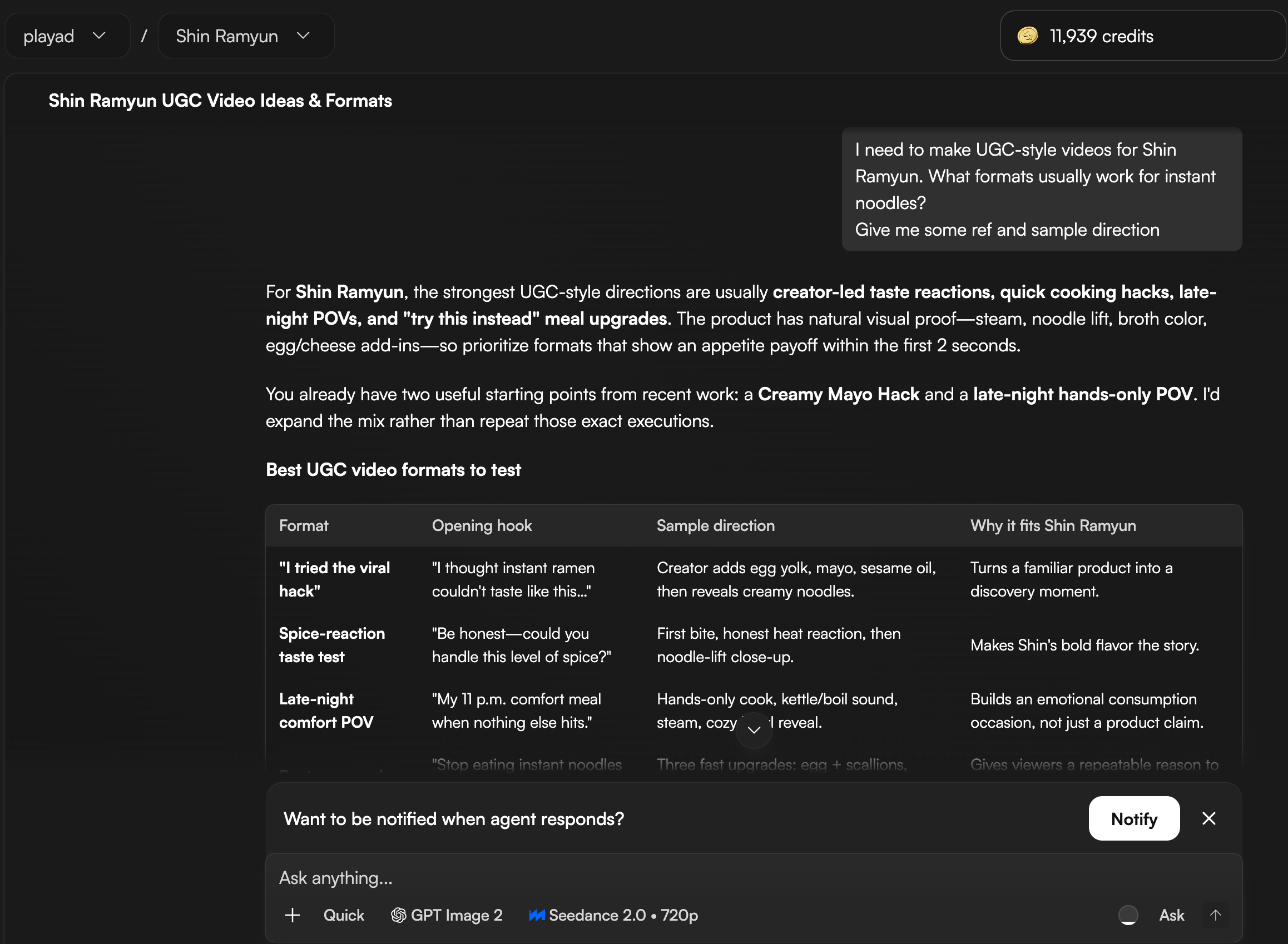
The Chat Agent pulls references from TikTok, Instagram Reels, and competitor campaigns. This saves me hours of manual scrolling.
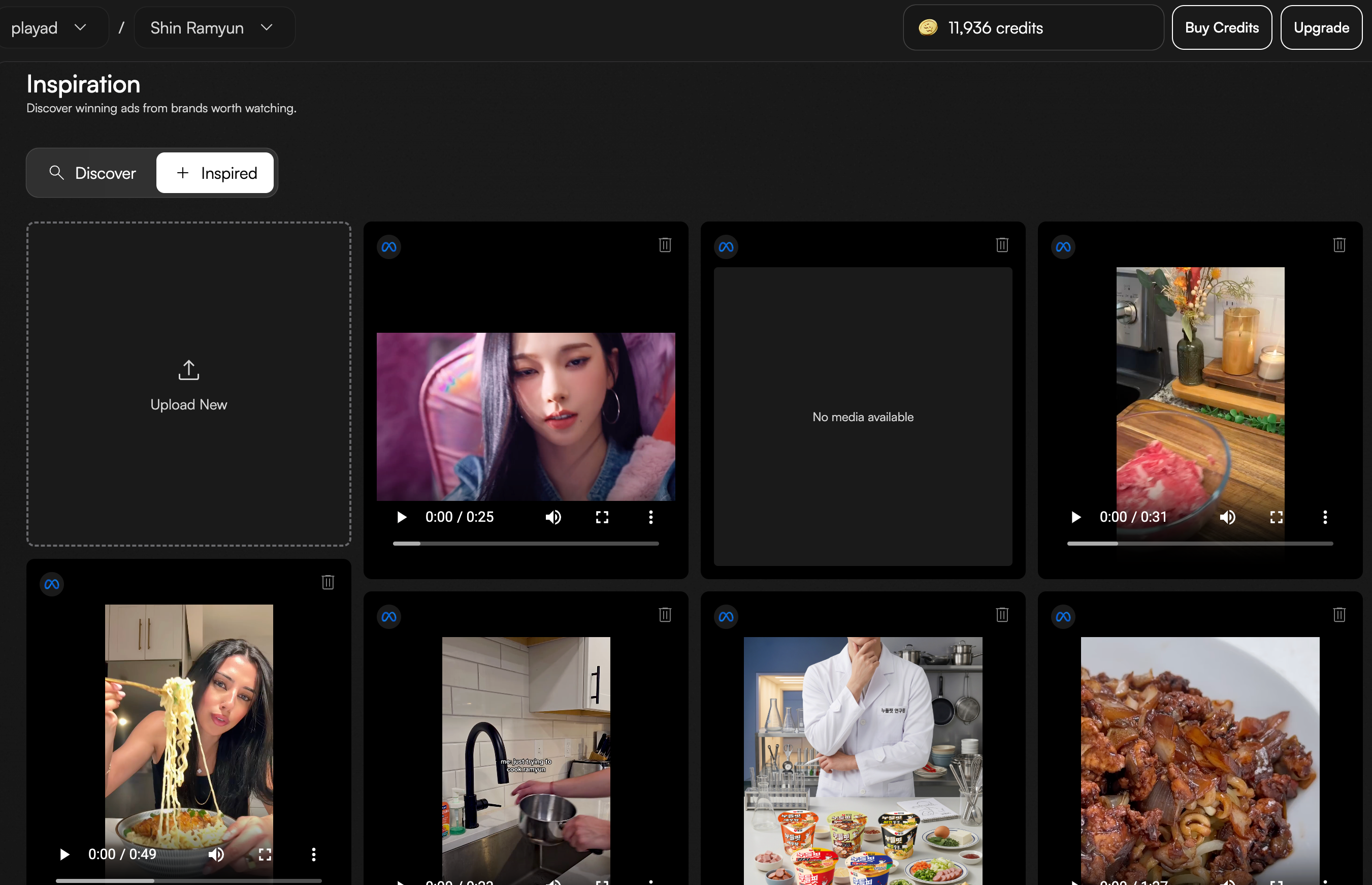
Then I use the Inspiration feature to save and organize everything I find. It becomes my mood board for the entire project.
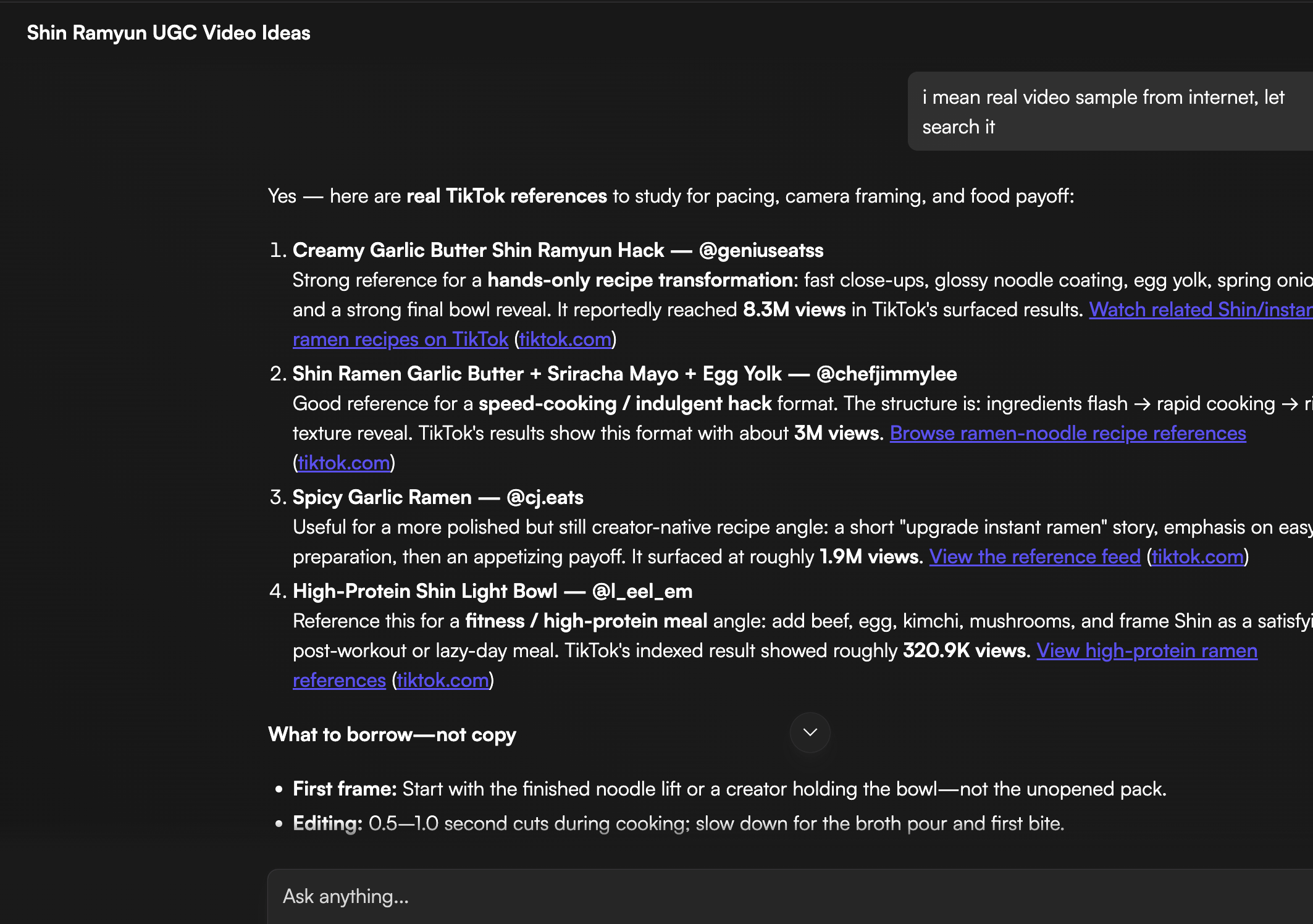
Then I use the Inspiration feature to save everything I find. It becomes my mood board for the whole project — all in one place, no tabs, no chaos.
Locking In the Concept
Once I have references, I keep chatting with the agent to narrow things down. For Shin Ramyun, I landed on two directions: Cozy POV (warm, hands-only cooking) and Hack & Recipe Tutorial (quick, viral-style tips). The logic was simple — less face means fewer AI fails, and viewers feel the mood more than they scrutinise the details. When I can describe the vibe in one sentence and know what not to show, I know I'm ready to start generating.
2. How I Create High-Quality Assets in Playad
Generating Strong Keyframes
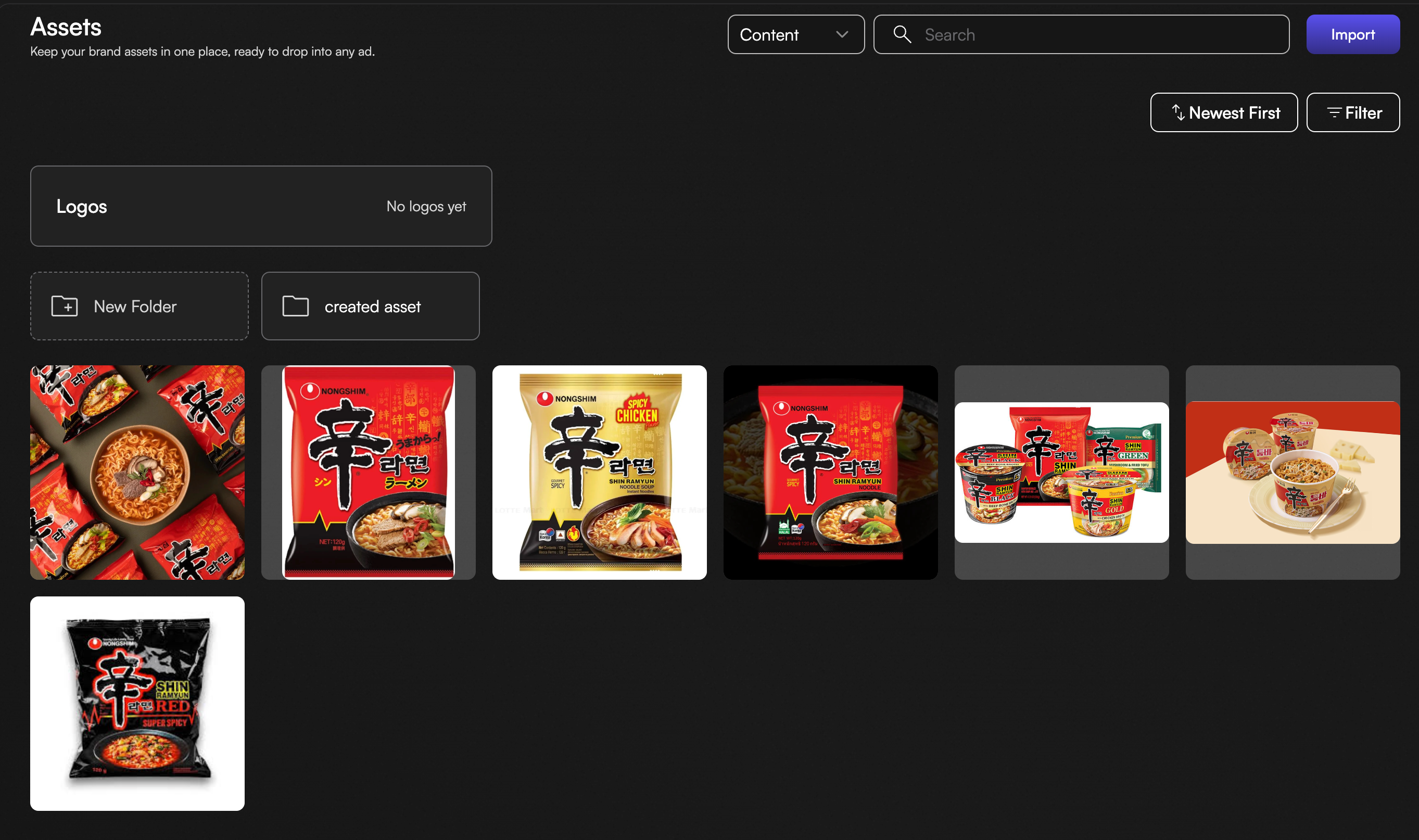
Once the concept is clear, I drop all the brand assets — packaging, product shots, logo — into the Asset Library. Everything lives in one place so I can reference them directly when prompting.
Then I use Nano Banana Pro for image generation. It gives me the best balance of quality and control — especially for food and human lifestyle shots where texture, skin tones, and lighting matter. My top tip here: Don't just settle for the first output. Generate 4 to 5 variations of the same prompt, then pick the one where the lighting looks the most natural. Natural light makes AI look less like "AI" and more like real life.
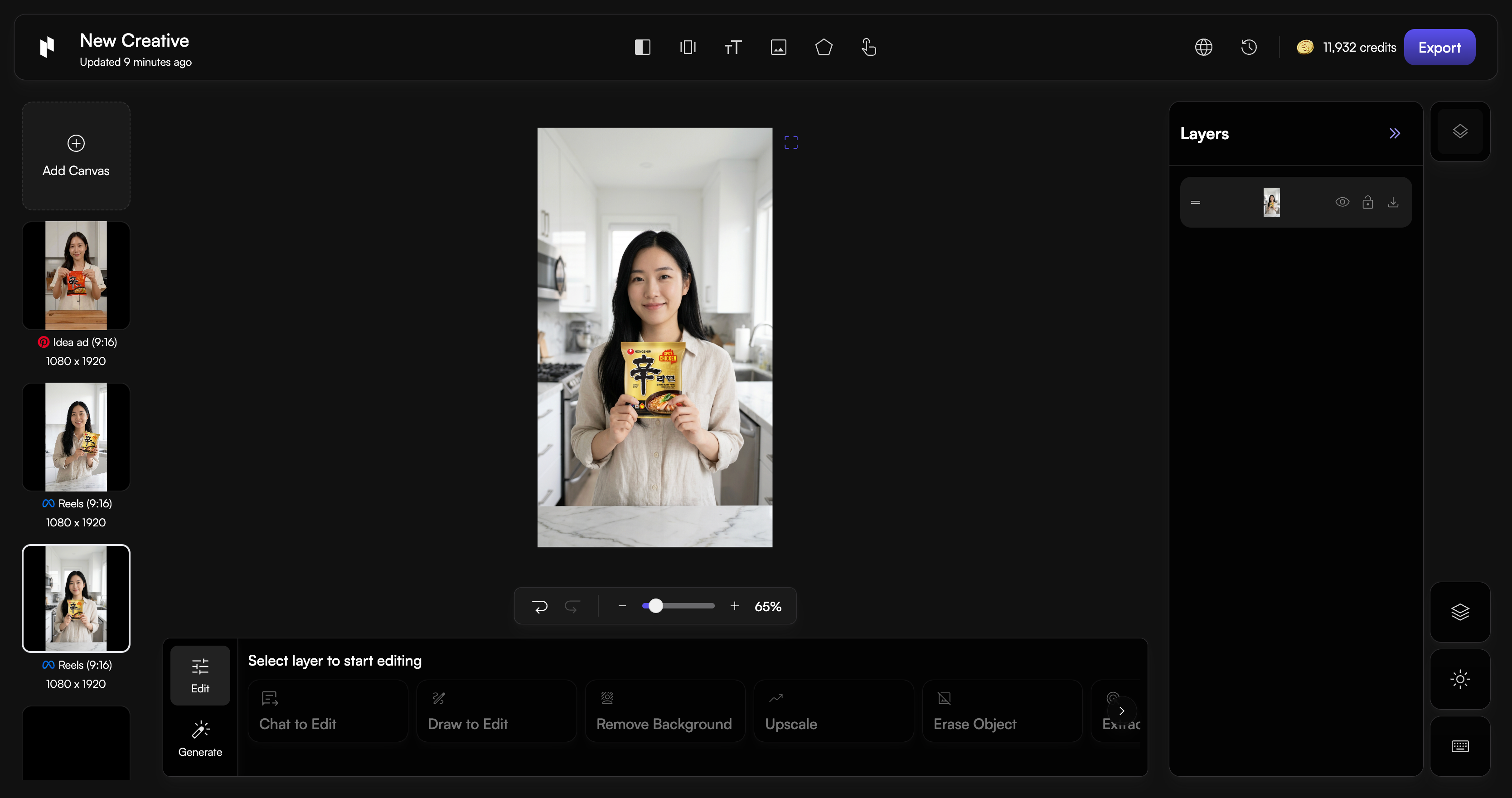
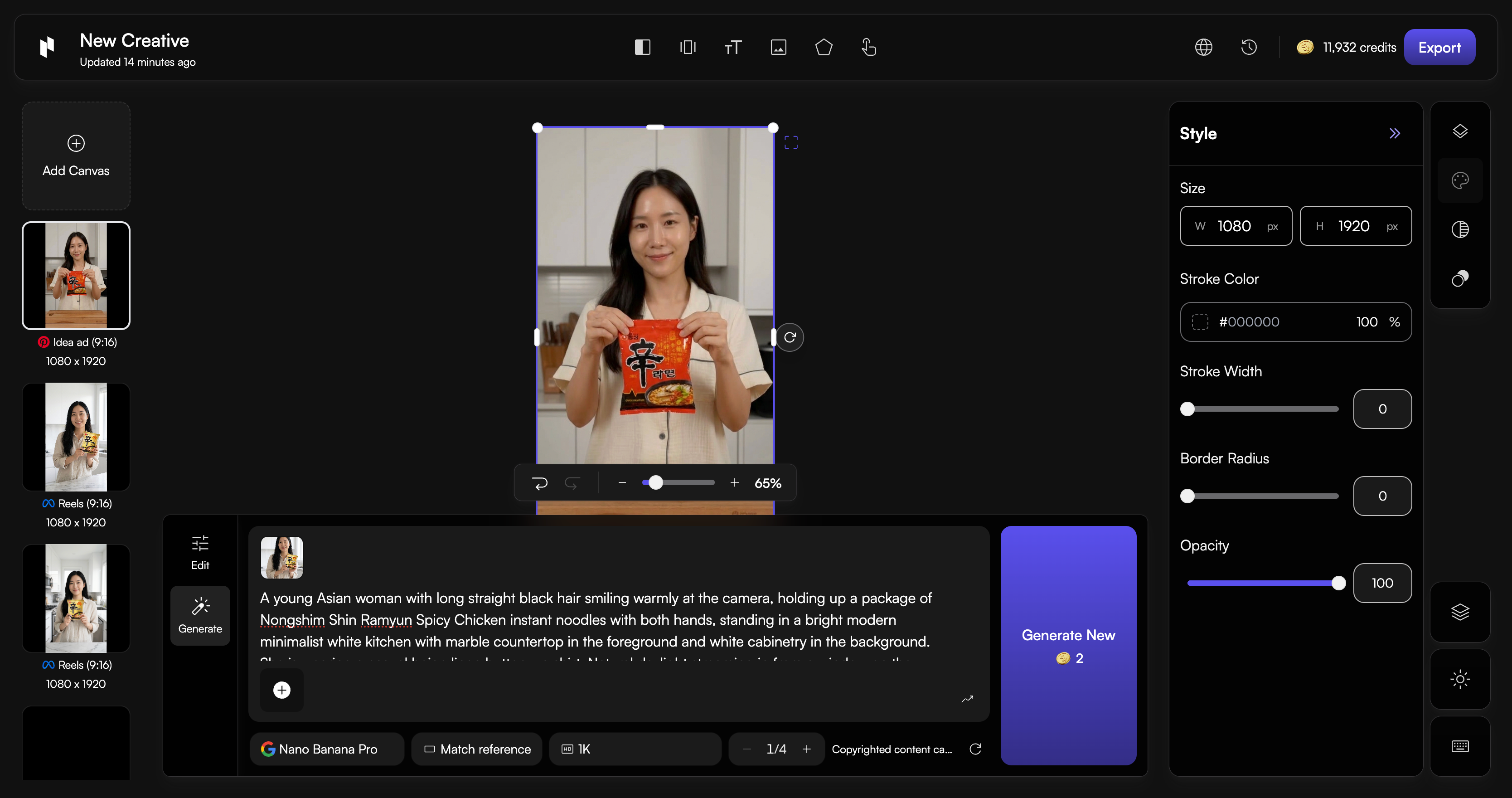
Everything happens inside the chat. I don't jump between tools. I just describe what I need, and the Chat Agent acts on it:
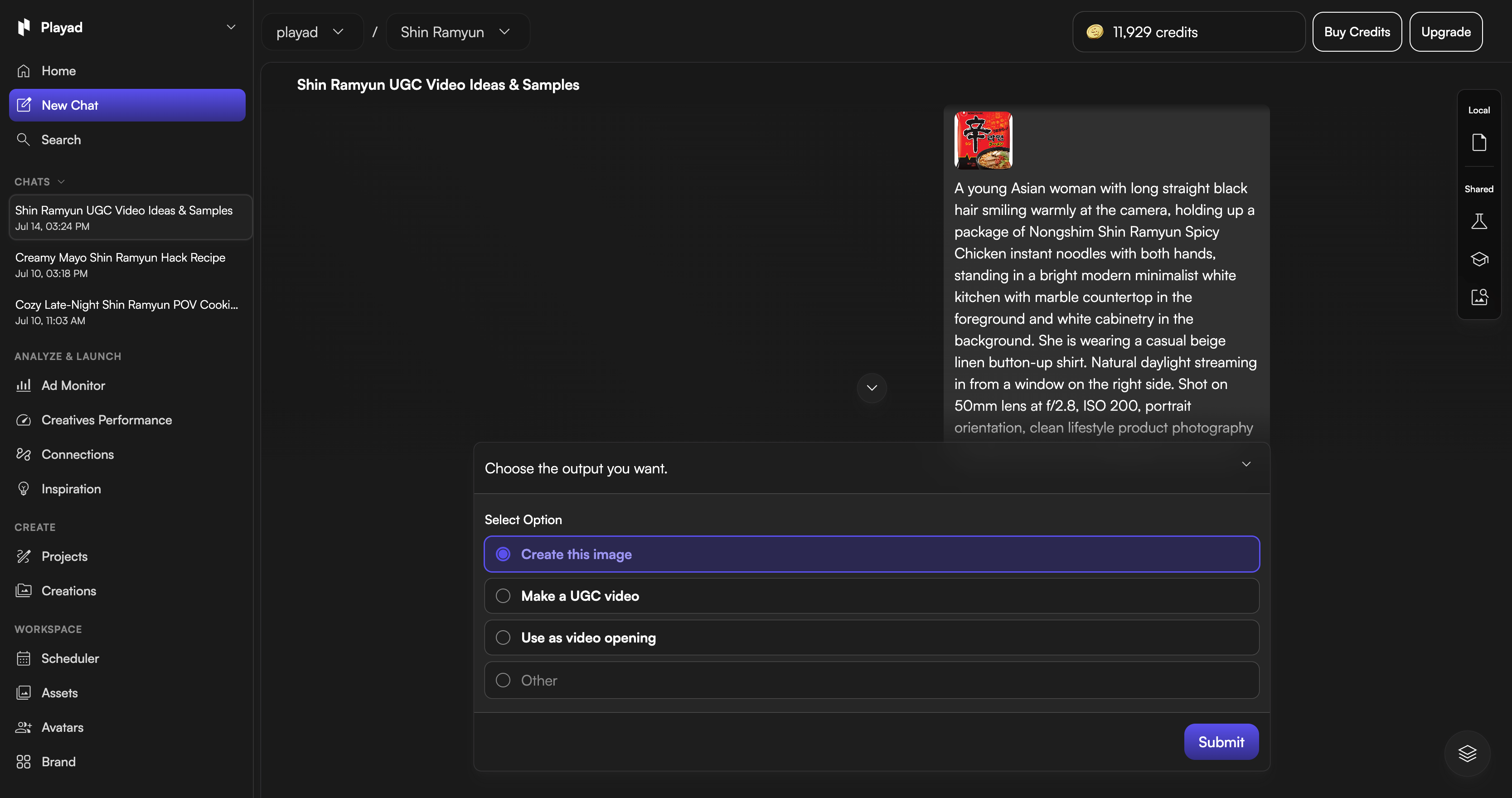
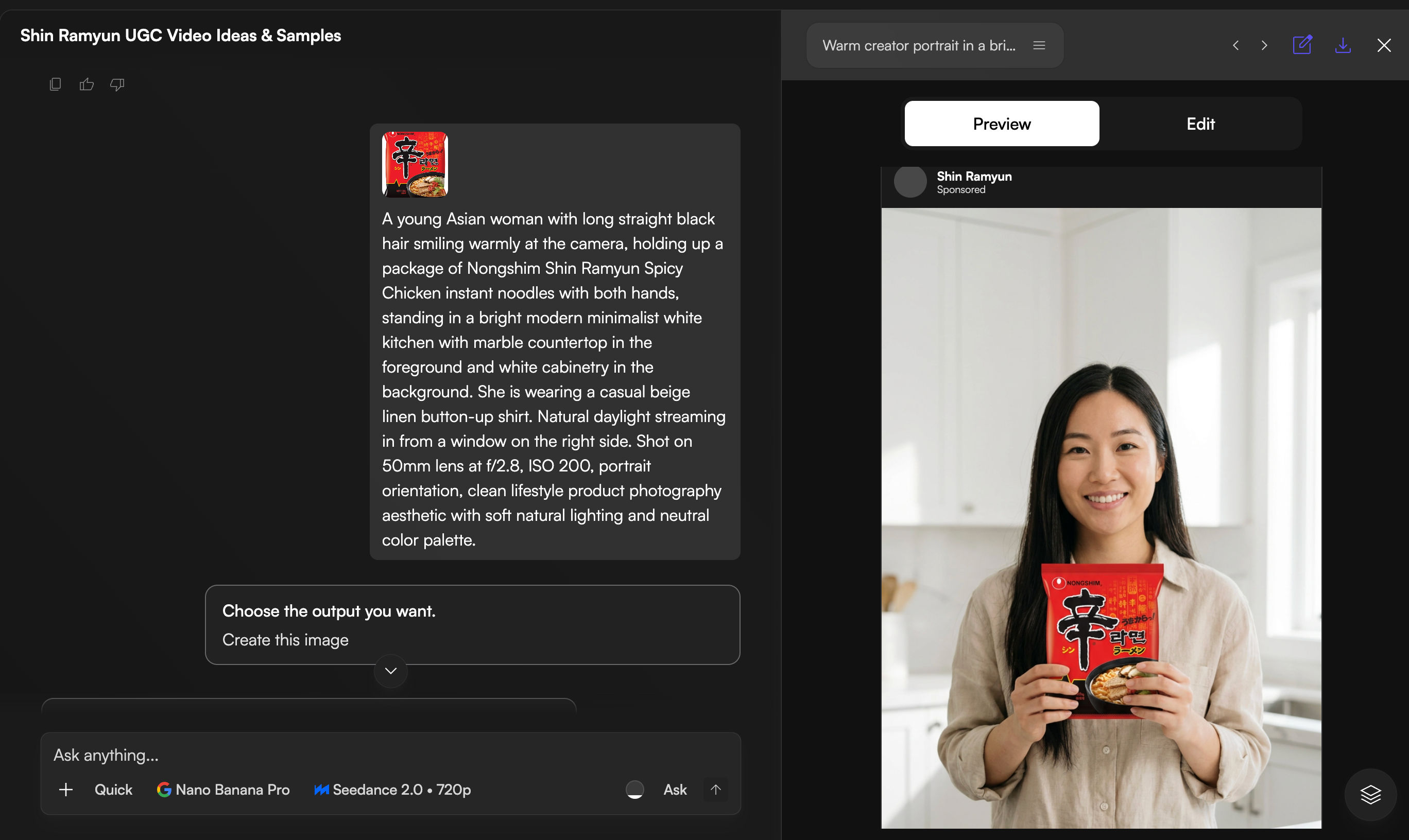
Iterating and Fixing Mistakes
Sometimes the first output isn't perfect. Don't overcomplicate your feedback. Talk to the Chat Agent like a human designer (e.g., "Make the lighting warmer," or "The steam looks fake, make it softer"). If the product packaging looks off, just tell it to: "use the exact red and black Shin Ramyun packaging from the asset library." Focus on small, specific tweaks rather than writing long new prompts.
3. How I Turn Assets into Great Videos
Image-to-Video Best Practices
Once I have my key image of the girl holding the Shin Ramyun cup, I don't export it to another tool. I just chat with the agent in plain English:
"Turn this into a 15-second video. Start with the girl saying 'Okay, I'll cook dinner', then cut to boiling the noodles, adding a slice of cheese, and cracking an egg on top. Make it feel like a cozy cooking vlog."
The Chat Agent instantly understands and translates this casual request into a structured prompt for Seedance behind the scenes, ensuring the transitions are smooth and the food details look delicious.
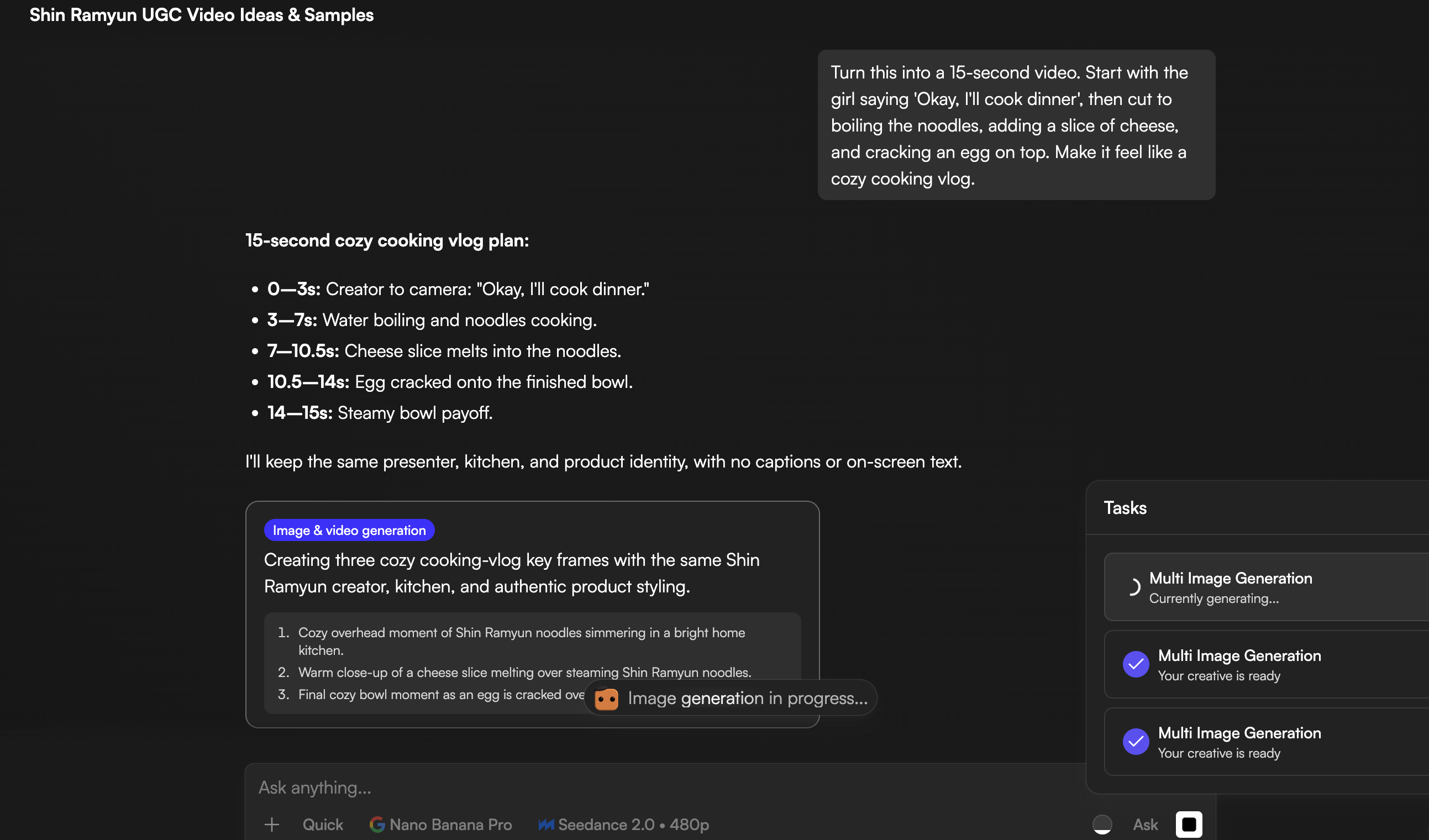
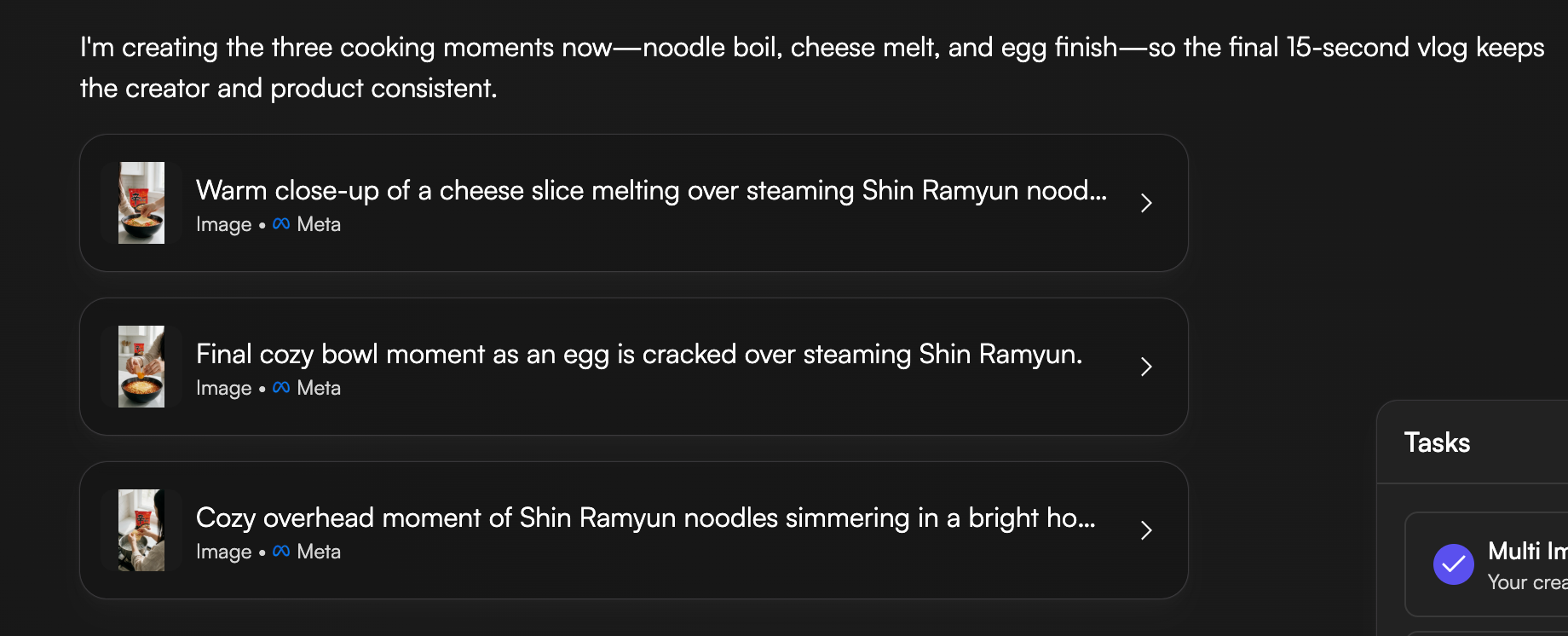
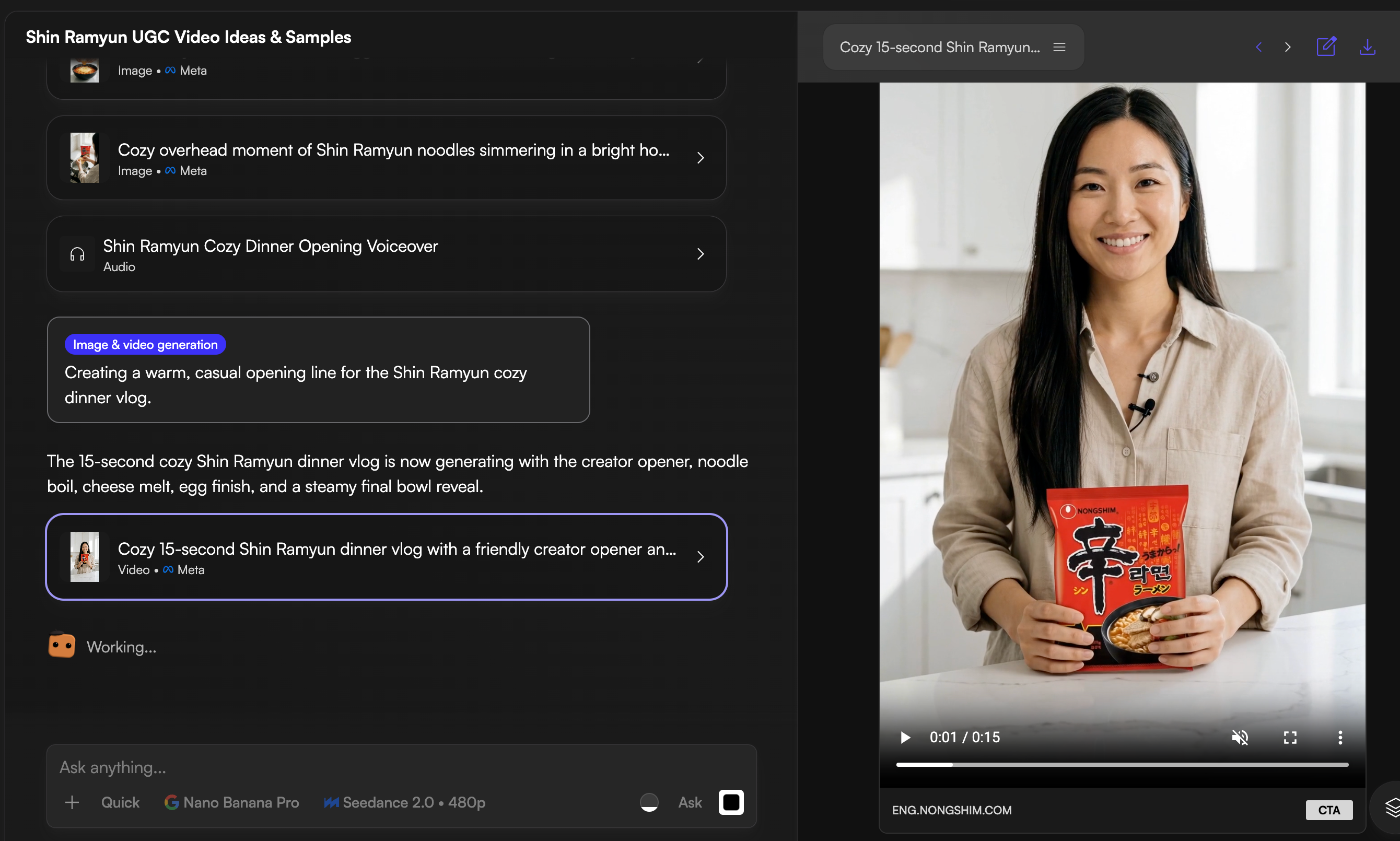
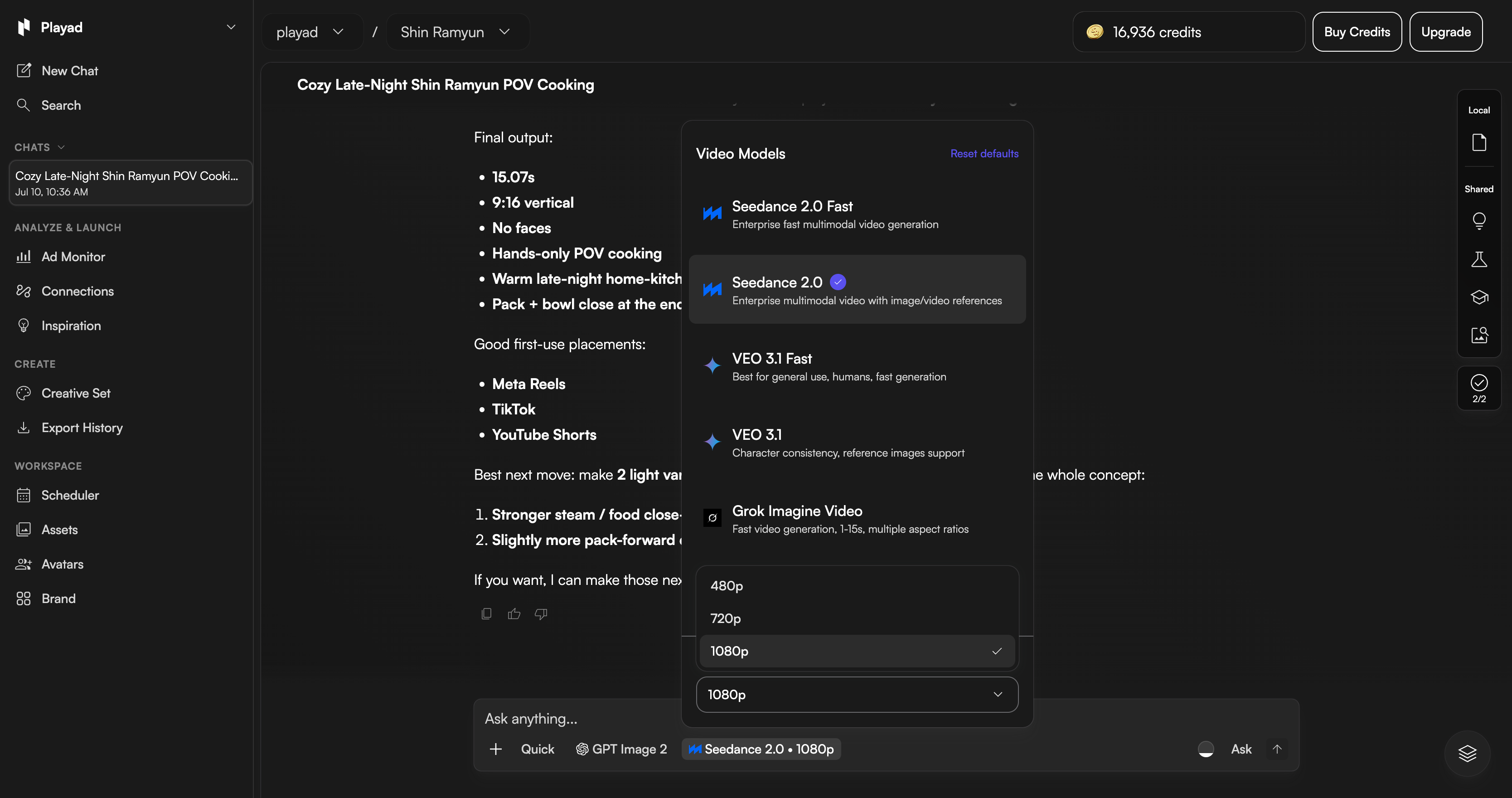
My rule: test in 480p first. This is a credit-saver. I check the composition and movement at low resolution first. If the motion is smooth, I render the final video in 1080p.
Improving Generation Quality
Here's what I look for in a good clip:
- Smooth movement — no jarring transitions
- Natural-looking elements — steam, bubbles, light
- Good composition — the subject is well-framed
If a clip doesn't work, I tweak the prompt and try again. If it's close but has a small issue, I regenerate just that part (2–3 seconds) instead of redoing the whole clip.
Editing, Captions, Music, and Final Polish
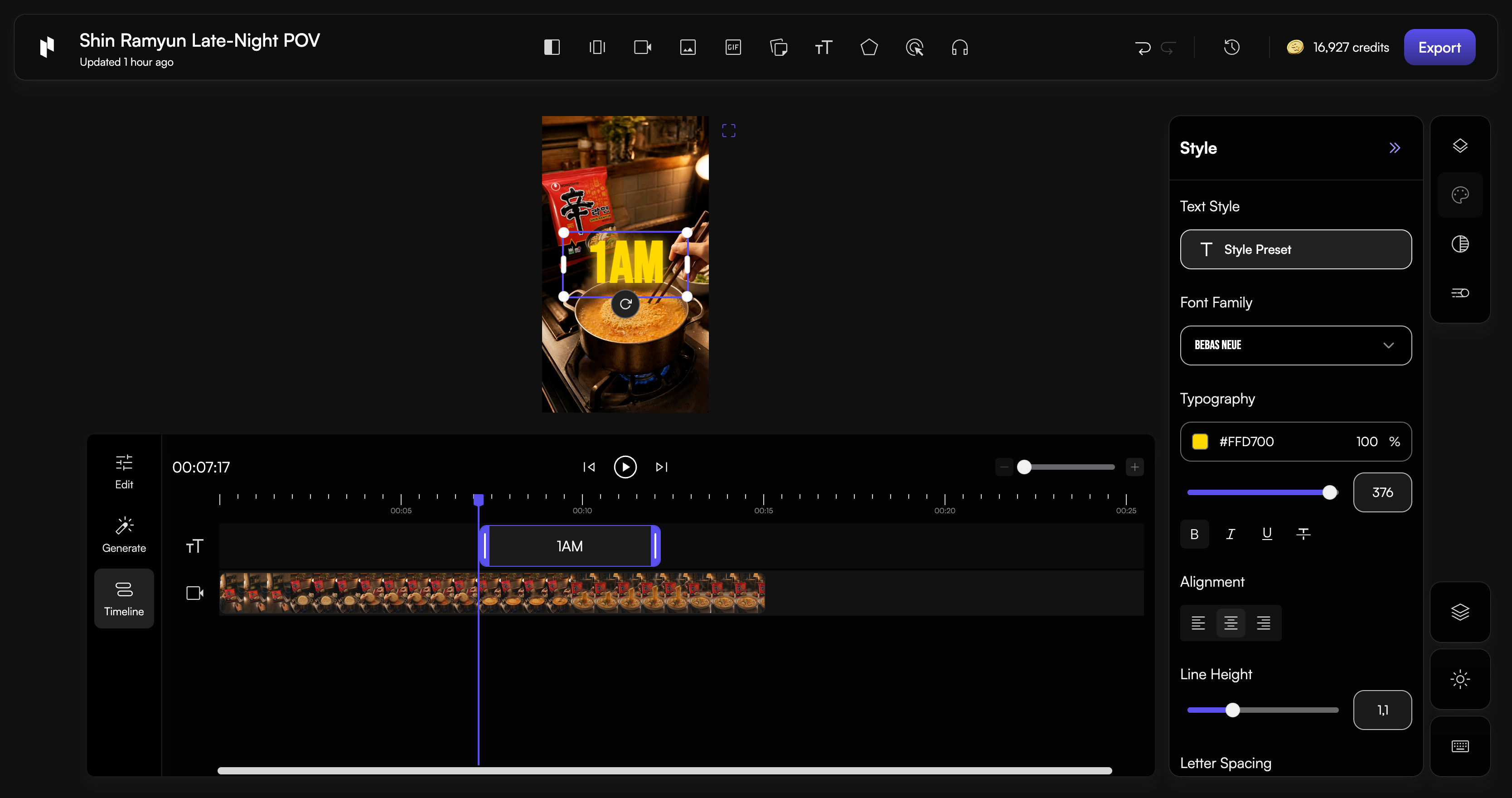
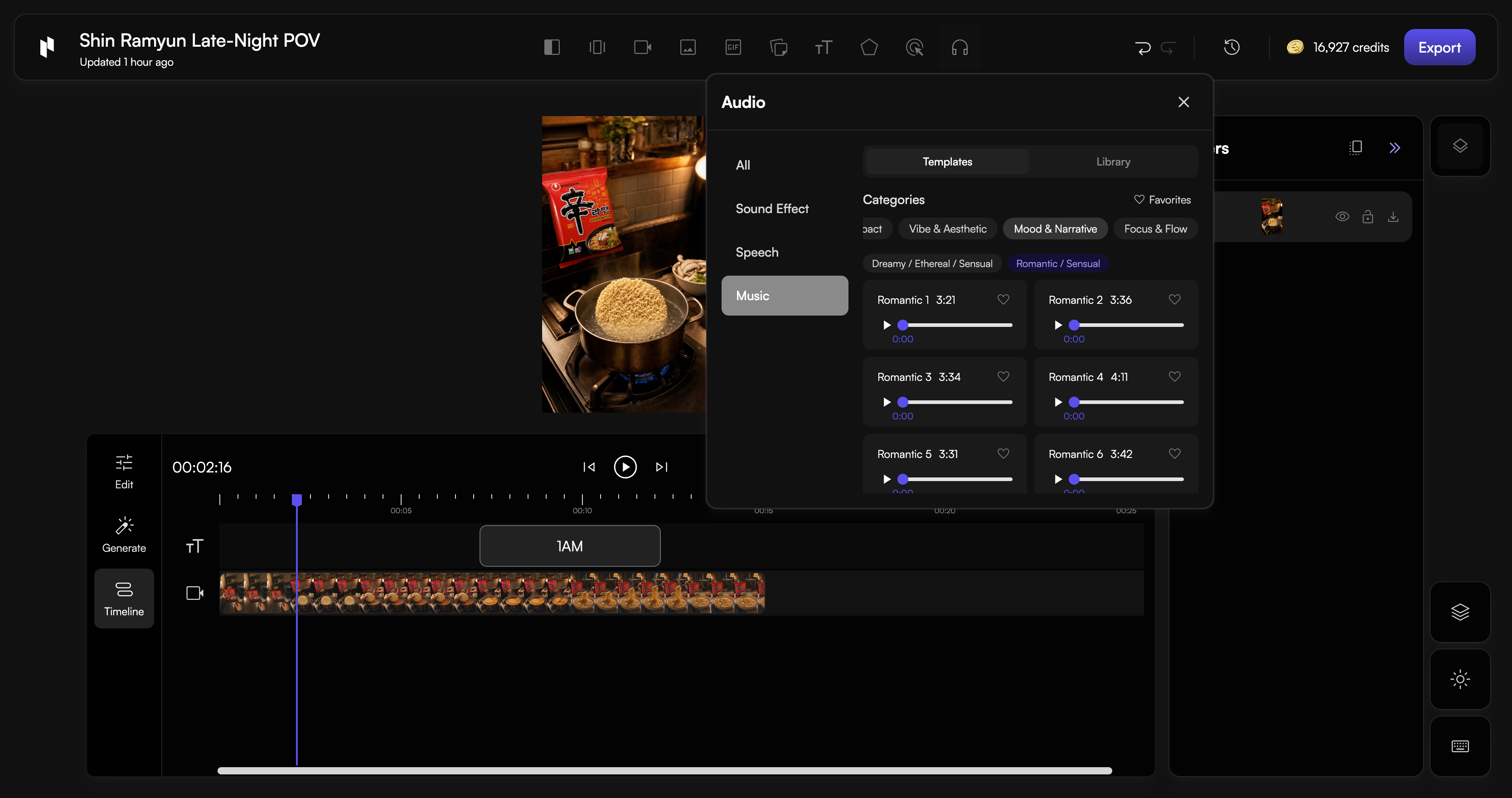
For final editing, I use the PLAYAD Editor. It's lightweight — I don't need to jump to CapCut for this part.
I do three things:
- Adjust timing – trim clips so the pacing feels right
- Add text overlays – hooks, step labels, and CTA
- Sync audio – background music + SFX
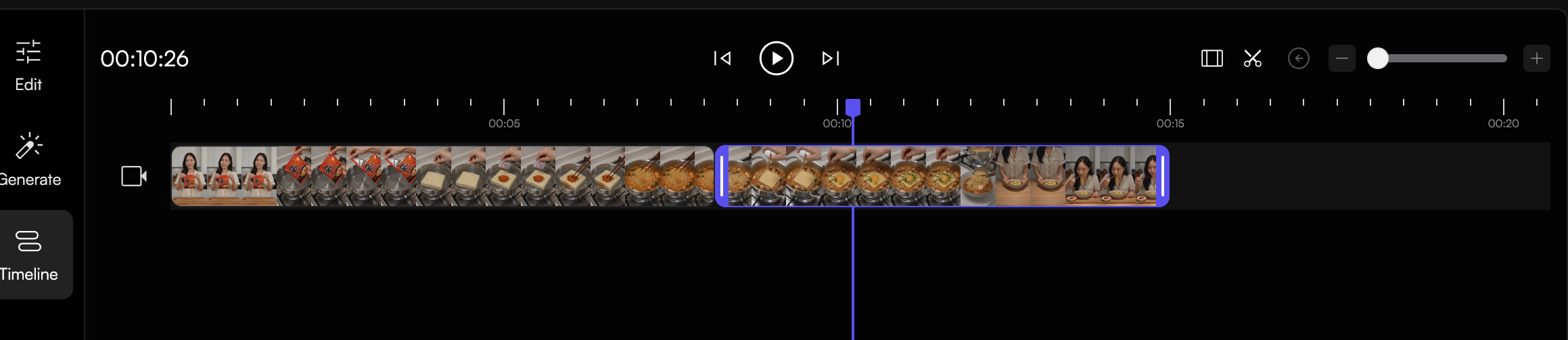
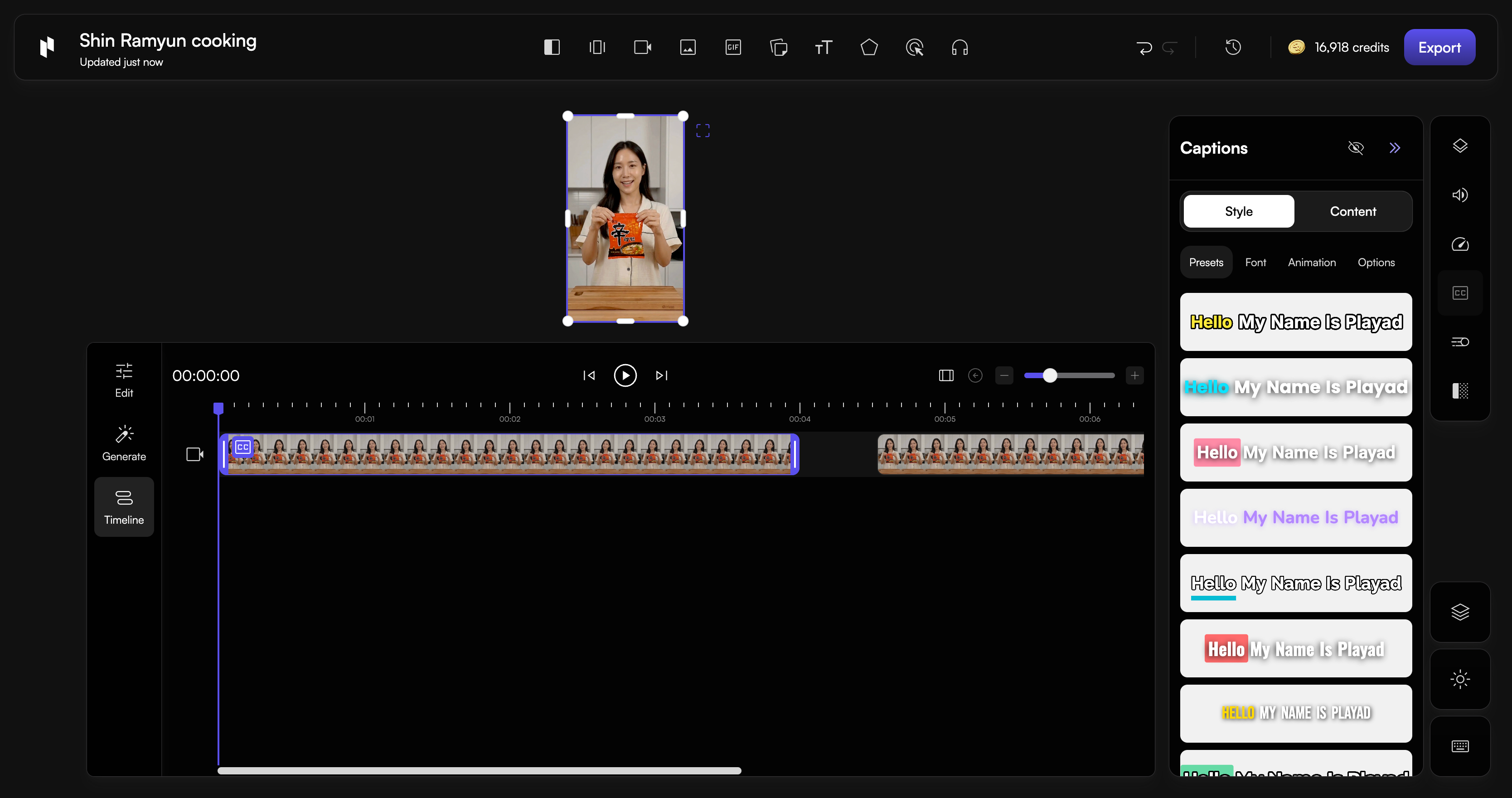
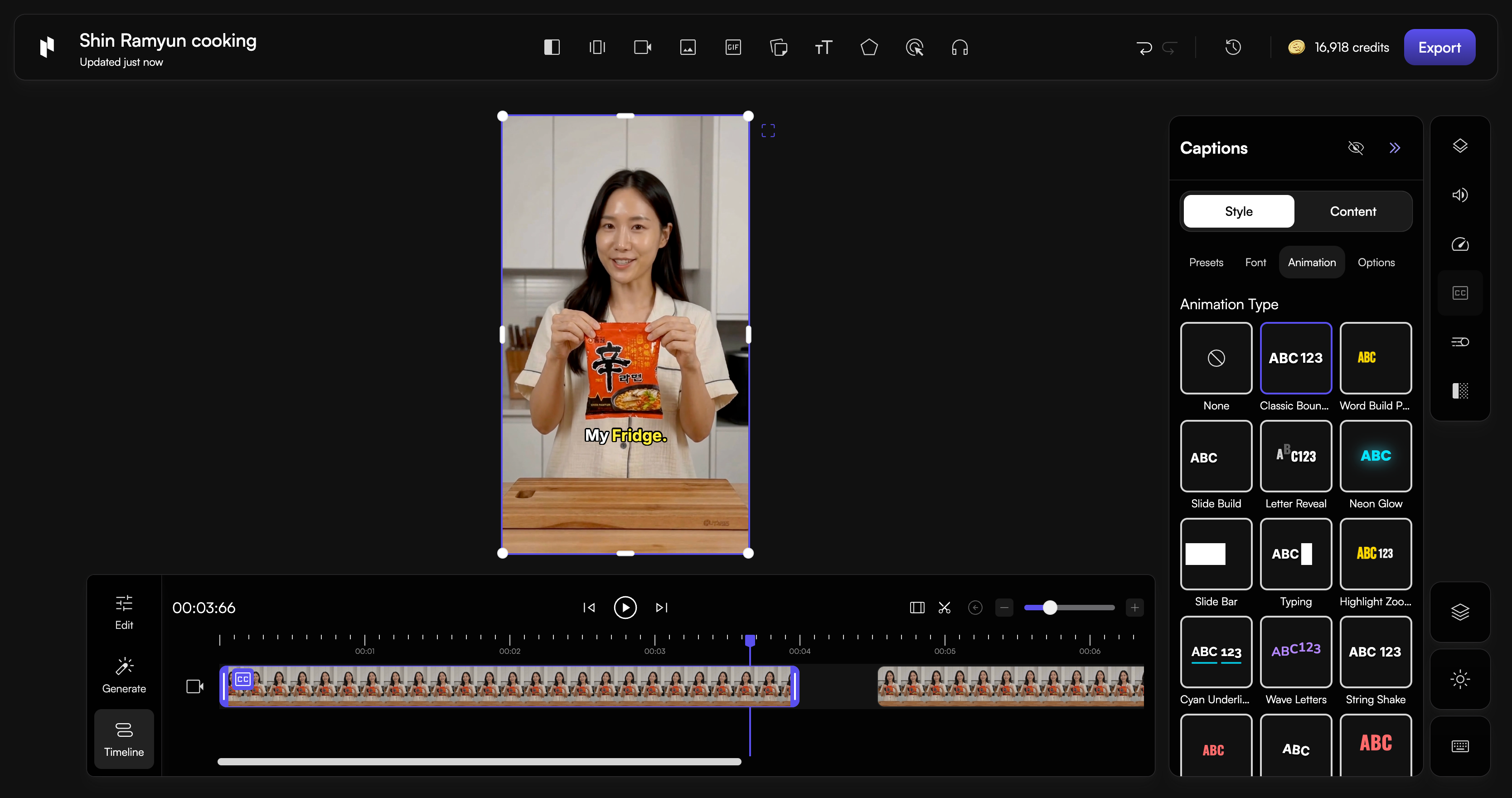
For captions, I use this trick: I screenshot a Reel or TikTok with a caption style I like, drop it into the chat, and ask: "Give me 5 caption options in this style for a Shin Ramyun cooking video. Keep it Reel/TikTok friendly."
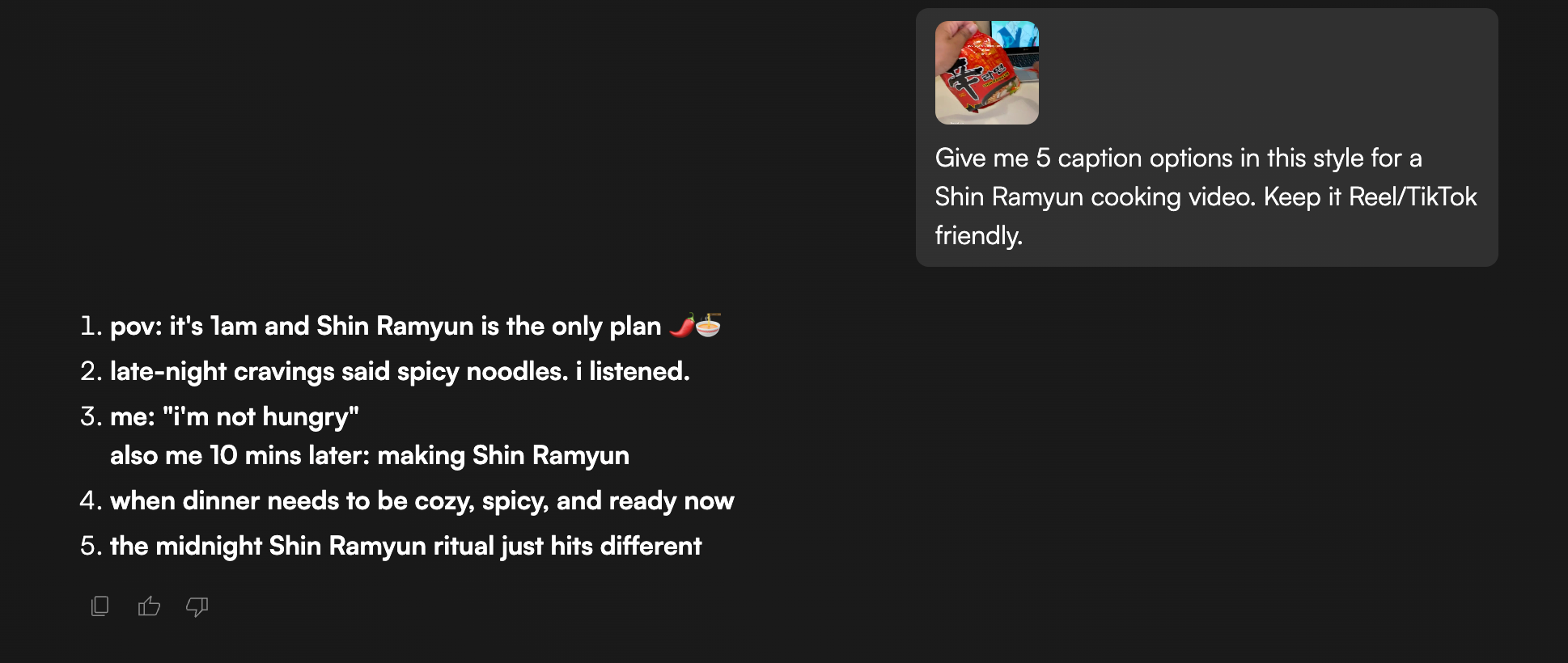
Works every time.
4. Tips & Best Practices I've Learned Along the Way
Practical Tips That Consistently Work for Me
🧪 Test in 480p first, then 1080p
This single habit has saved me more credits than anything else. I test composition and movement at low resolution, then go full quality once I know the prompt works.
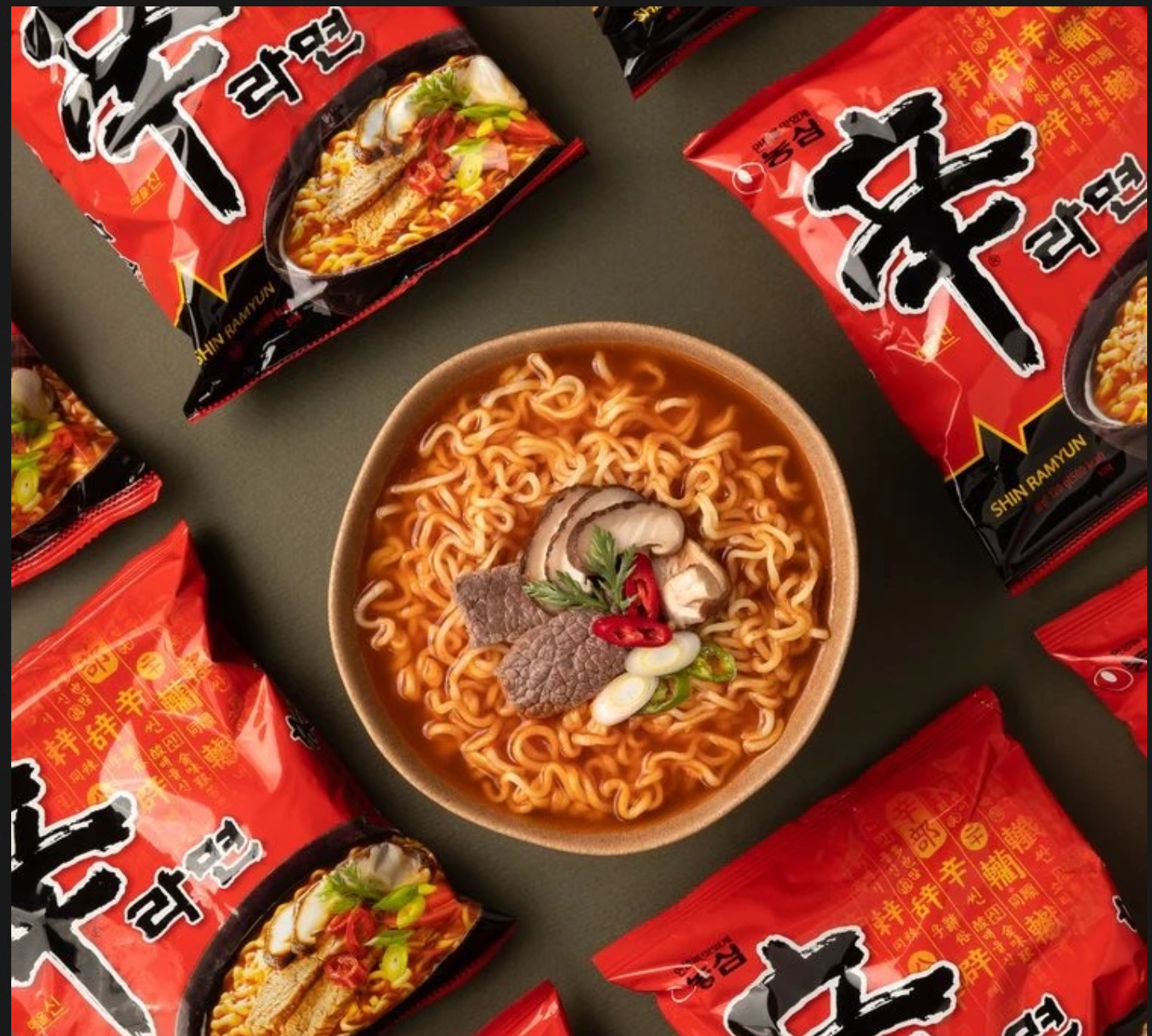
📦 Use 2-in-1 assets
Instead of uploading separate images for packaging and the product, I find references that show both together. The AI has all the visual info it needs in one go — faster generation, fewer errors.
🎬 Screenshot a vibe → ask Chat Agent for captions
Drop a screenshot of a post you like, ask for caption options in that style, and specify the platform (Reel, TikTok). You'll get usable options instantly.
🎧 Add "ASMR" to food prompts
This sounds simple, but it makes a massive difference. "ASMR" as a keyword gives you more detailed texture — better steam, bubbles, sizzling. The food just feels more real.
💭 If it fails 3 times, change direction
I've learned this the hard way. For the Shin Ramyun project, I dropped several directions because the AI just couldn't get it right:
- Egg drop scenes — AI couldn't show the egg cracking and cooking evenly
- Ingredient timing — it kept showing ingredients added after noodles were fully cooked
Instead of fighting the AI, I pivoted. I chose directions that played to its strengths, not its weaknesses.
5. Final Thoughts (What I'd Tell Myself If I Started Over)
Looking back at all the videos I've made, here are the 5 things that make the biggest difference:
- Talk to the Chat Agent like a person: It responds better to natural language than to rigid commands. Just have a conversation.
- Test cheap, then go big: 480p first, then 1080p. Saves credits and sanity.
- Less face = fewer errors: Every time I've tried to do complex facial expressions or lip-sync, I've regretted it.
- Don't fight the AI — work with it: If something isn't working after 3 tries, change direction. The AI has strengths and weaknesses — play to its strengths.
- The Editor is for the final 10% polish: The Chat Agent gets you 90% there. The Editor is for timing, text, and audio — that final layer of polish that makes the video feel complete.
Quick Reference: My Go-To Prompt Framework
When I'm generating anything in Playad, this is the mental checklist I run through:
"[Subject] + [Action/State] + [Environment] + [Lighting/Mood] + [Texture/Details] + [Camera/POV]"
Example:
"Shin Ramyun cooking in a pot, steam rising, cozy home kitchen, warm golden lighting, ASMR texture, overhead POV, no face"
Practical Case Study: 3 Showcase Videos
Environment: A cluttered desk at night, shot handheld, vertical 9:16. Open laptop playing colorful soft-focus anime (out of focus), a drink bottle softly blurred nearby. Wood desk surface. Mixed warm/cool color temperature like a real phone camera.
Sequence:
• Shot 1 (2s): Desk establishing, laptop glow flickering.
• Shot 2 (2s - Kitchenette): Hand enters holding a Shin Ramyun packet, tearing the top corner open.
• Shot 3 (2s): Close on empty pot, dry seasoning powder dumped in, scattering slightly.
• Shot 4 (3s): Boiling water with noodles, chopsticks nudging them apart. Steam rising.
• Shot 5 (2s): Hand cracks a raw egg into the pot, yolk holding shape in broth.
• Shot 6 (2s): Cheese slice placed on top (edges softening), topped with chopped green onion.
• Shot 7 (2s): Hand carries the pot to the desk, setting it down next to the laptop.
• Shot 8 (3s): Chopsticks lift a twirl of cheesy noodles, steam rising, out-of-focus anime glowing behind.
Environment: Overhead shot looking straight down into a metal pot on a wooden countertop, handheld 9:16. Shin Ramyun packet rests just behind the pot, logo partially visible. Natural warm kitchen light.
Sequence:
• Shot 1 (2s): Empty metal pot, packet behind. Static overhead hold.
• Shot 2 (2s): Hand drops a small spoonful of minced garlic into the pot.
• Shot 3 (2s): Spoon tips a raw egg yolk into the pot, yolk holding its round shape.
• Shot 4 (2s): Mayo squeezed from a bottle into a small coiled pile.
• Shot 5 (2s): Dry seasoning powder dumped in, scattering slightly.
• Shot 6 (2s): Torn cheese and green onion dropped from above.
• Shot 7 (3s): Chopsticks stir everything fast into a rough orange-cream paste.
• Shot 8 (3s): Boiled drained noodles dropped on top and folded with chopsticks until fully coated.
• Shot 9 (3s): Chopsticks lift a glossy, creamy-orange twirl of noodles, steam rising.
Environment: Kitchen counter in bright natural daylight, handheld 9:16. Window just out of frame giving soft daylight, cutting board and toppings visible in background, softly out of focus.
Sequence:
• Shot 1 (2s): A bowl of cooked, steaming plain ramyun sits center-counter.
• Shot 2 (2s): Hand places a slice of cheese onto the hot noodles, edges softening.
• Shot 3 (2s): Hand drops a small butter cube on top of the cheese.
• Shot 4 (2s): A pinch of chili flakes sprinkled from above, scattering unevenly.
• Shot 5 (2s): Chopsticks stir everything together fast, coating the noodles.
• Shot 6 (3s): Chopsticks lift a loaded twirl of noodles coated in cheese and butter, steam rising.
What's Next?
If you're reading this and want to try it yourself, here's what I'd suggest:
- Pick a simple project — food, product showcase, or a short UGC-style video
- Start with the Chat Agent — just talk to it
- Test prompts in 480p before committing to high quality
- Be patient with the process — not everything works on the first try
Most importantly: have fun with it. The best outputs come when you're experimenting and curious, not when you're stressed about getting it perfect.
That's how I do it. Hope this helps you make something great.
— Liam